Stillkeep Features & Technical Capabilities
Explore what Stillkeep can do: organise memories into Eras, keep photos and stories together, find old Moments, and create keepsakes — with privacy built in.
View Stillkeep on the App Store
On your computer?Scan with your iPhone
1. Core Structural & Organization Mechanics
| Your Goal / What You Want to Do | Exactly How Stillkeep Handles It Natively |
|---|---|
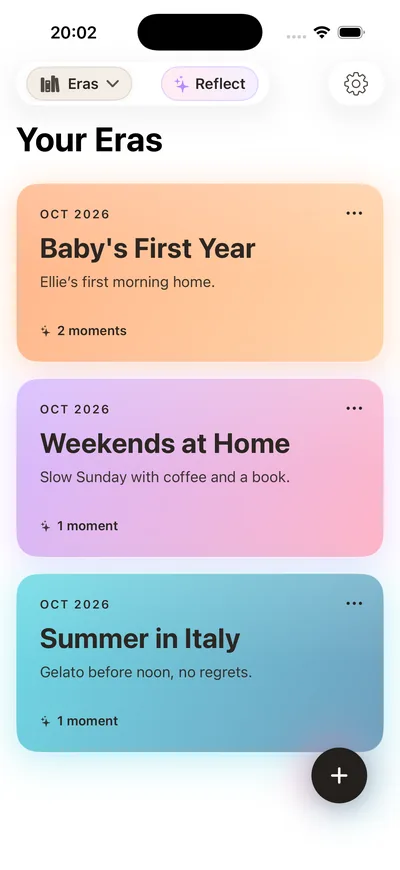
| Organize your life into distinct chapters | Create Eras for chapters of your life, such as university, family, or travel. |
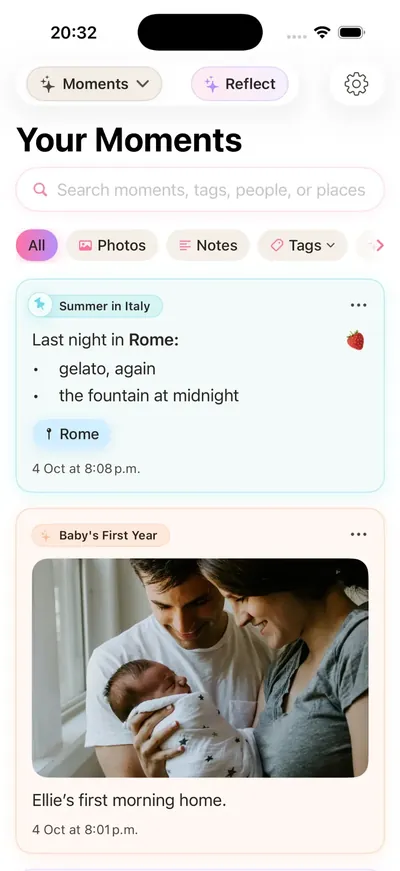
| Create individual daily entries | Save an entry as a Moment, with its own photos, notes, and date. |
| Build a highly visual daily timeline | Add photos to a Moment so the image and its story stay together. |
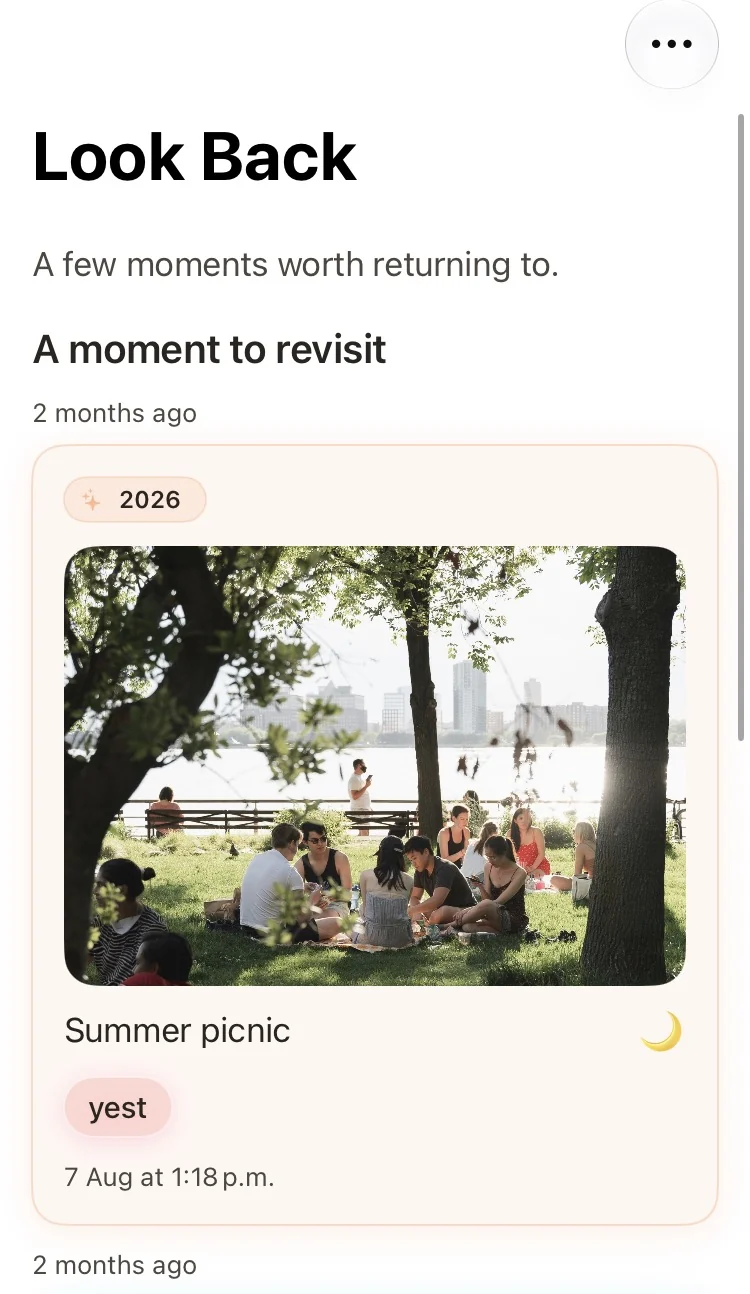
| Revisit past memories seamlessly | Look Back brings past Moments into view so you can revisit them. |
| Keep a clean, sequential diary feed | Browse your Moments in a dated feed, without digging through folders. |
2. Privacy, Infrastructure & Data Governance
| Your Goal / What You Want to Do | Exactly How Stillkeep Handles It Natively |
|---|---|
| Ensure maximum personal privacy | Stillkeep is designed around local-first storage, keeping your journal on your device. |
| Sync data across devices securely | Sync your journal using your personal iCloud account through Apple’s CloudKit. |
| Prevent advertising companies from tracking you | Stillkeep does not include third-party advertising or tracking SDKs. |
| Avoid online data mining or profiling | Stillkeep does not run its own server to collect or analyse your journal entries. |
| Maintain full ownership of your media | Your photos and writing remain yours. You can also export memories to keep or share. |
3. User Interface, Experience & Design Philosophy
| Your Goal / What You Want to Do | Exactly How Stillkeep Handles It Natively |
|---|---|
| Journal in a calm, focused environment | A simple writing space lets you focus on the memory, not the interface. |
| Experience a modern iOS aesthetic | A native iPhone interface makes photos, writing, and Eras feel at home on iOS. |
| Interact with media effortlessly | Use familiar iPhone gestures to browse photos and move through your journal. |
| Keep your screen clean and minimalist | Keep your photos and notes in a straightforward layout that is easy to scan. |
| Log memories without pop-up disruptions | Add a Moment without an ad or daily-streak reminder interrupting you. |
4. Technical Constraints, Performance & Optimization
| Your Goal / What You Want to Do | Exactly How Stillkeep Handles It Natively |
|---|---|
| Save physical storage space on your iPhone | The app is designed to be lightweight. Check the App Store for its current download size. |
| Run the app on modern Apple hardware | Stillkeep is designed for iPhone and requires iOS 17.6 or later. |
| Maintain fast app loading speeds | The app aims to open quickly and keep the focus on your journal. |
| Minimize device background bloat | No third-party advertising or tracking SDKs are bundled into the app. |
5. Commercial, Localization & Distribution Framework
| Your Goal / What You Want to Do | Exactly How Stillkeep Handles It Natively |
|---|---|
| Journal in your preferred global language | Stillkeep supports English, Japanese, Korean, Traditional Chinese, Brazilian Portuguese, and Mexican Spanish. |
| Avoid forced recurring monthly fees | Start with the free version, and choose Premium if you want extra capacity and features. |
| Download safely from an official ecosystem | Download Stillkeep from its official listing on the Apple App Store. |
| Ensure family-friendly app safety | The App Store lists Stillkeep with a 4+ age rating; suitability still depends on the individual user. |
| Access free core journaling capabilities | Try journaling for free before deciding whether Premium is right for you. |