A photo can hold a whole day.
Camera rolls are brilliant at storing images and terrible at remembering why they mattered. Stillkeep keeps selected photos beside the writing, dates and details that turn an image into a memory.
Photos, with the story still attached
Stillkeep is an iPhone app and a private place for the photos that actually mean something. Choose a picture, add the story behind it, and keep it as a Moment you can find again.
Free to start · Private iCloud sync · Zero ads in the app · iOS 17.6+
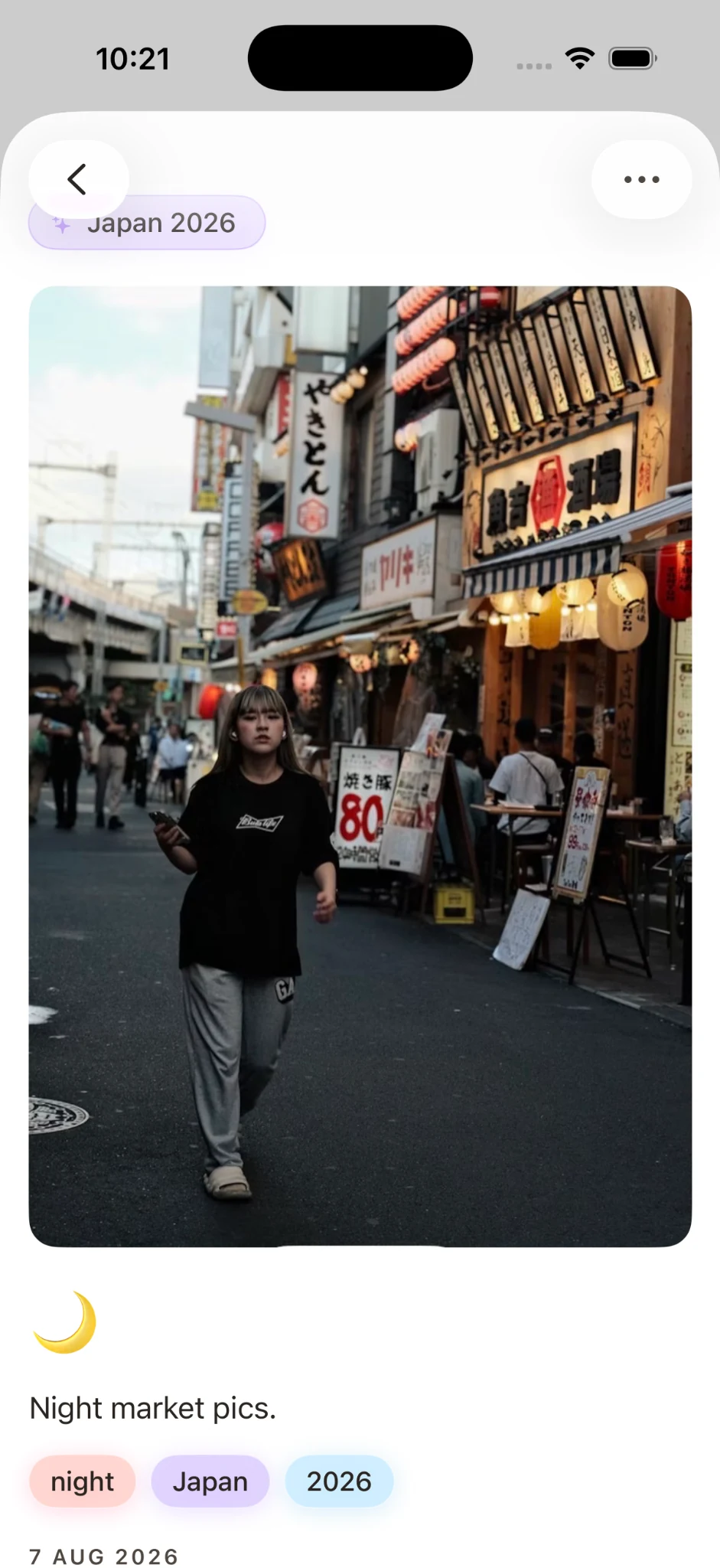
Camera rolls are brilliant at storing images and terrible at remembering why they mattered. Stillkeep keeps selected photos beside the writing, dates and details that turn an image into a memory.
Add a Moment when something is worth keeping, then group related Moments into Eras: a trip, a relationship, a new home, a family chapter, or simply a season of life. Your journal grows from the pictures you chose to remember.
A photo records what something looked like. It rarely records who took it, what had just happened, the joke everyone was laughing at or why you stopped to take it. Those details fade within months, and a camera roll gives them nowhere to live. Adding a few lines beside the photos that matter is the simplest way to keep them.
Screenshots, receipts, duplicates and the one photo you care about all sit in the same endless grid, sorted only by date.
You choose the photos worth keeping, write what they mean, and file them in a chapter of your life you can return to.
Adding a photo to a Moment does not move, rename or reorganise anything in your Photos library.
You don’t need a paragraph. One or two specific sentences will do more for your future self than a long caption written out of duty. Try answering one of these:
“We’d been lost for an hour and this was the first café that was open.”
The smell of the bakery, the song in the car, how cold the water actually was.
The person who took the picture is usually missing from it. Name them.
Out of thirty near-identical shots, say why this is the one that matters.
Yes. In Stillkeep the note lives in a Moment alongside the photo. Your original picture stays in your Photos library unchanged.
Up to 3 photos per Moment on the free plan and up to 10 on Stillkeep Premium, so a single story can cover a whole afternoon or event.
Yes. Stillkeep searches the writing in your Moments, and you can also filter by tags, vibes, People & Places and Eras.
Stillkeep has no ads, no third-party analytics SDKs and no cross-app tracking. Sync uses your private iCloud through Apple’s CloudKit.
Yes. Export any Moment as a memory photocard, or export a whole Era as a PDF photobook. You choose exactly what leaves the app.
Stillkeep is for the photos you want to understand years from now: each one can keep its story, date and place inside a meaningful life chapter.